Not all audio files are created equal. The format you choose affects everything from sound quality and file size to compatibility and whether you can edit the file later without degradation. Yet most people choose audio formats by default; whatever their device spits out, whatever Spotify downloads, whatever seems to work.
Understanding the difference between lossy and lossless compression, and knowing which format suits which purpose, is fundamental knowledge for anyone working with sound.
Here’s a clear breakdown of the four most important audio formats.
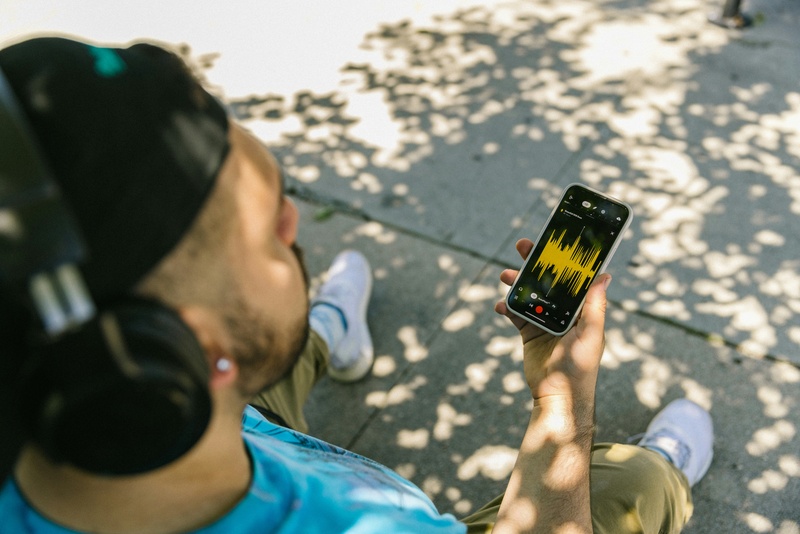
MP3: The Universal Compromise
The MP3 format (MPEG Audio Layer III), developed by the Fraunhofer Institute in Germany during the early 1990s, revolutionized how the world consumes music. It works by removing audio data that the human ear is least likely to perceive, a process called psychoacoustic compression. At 128kbps, an MP3 file is roughly one-tenth the size of an equivalent WAV file.
At higher bitrates (256–320kbps), MP3 quality approaches near-transparent listening for most people. A 2014 study by researchers at the Harman International acoustics lab found that trained listeners could only reliably distinguish 320kbps MP3 from lossless audio about 52% of the time, which is essentially random chance.
Best for: streaming, portable music playback, podcasts, and any situation where file size matters more than archival quality.
File size: approximately 1MB per minute at 128kbps; 2.4MB per minute at 320kbps.
WAV: The Uncompressed Standard
WAV (Waveform Audio File Format) stores audio as raw, uncompressed PCM data. What the microphone captures is exactly what the file contains; no data is removed, no compression is applied. This makes WAV the standard working format in professional audio production, from recording studios to film post-production.
The trade-off is size. A standard CD-quality WAV file (44.1kHz, 16-bit stereo) consumes approximately 10MB per minute. High-resolution recordings at 96kHz/24-bit can exceed 30MB per minute. Storage is cheap, but transferring large WAV files over email or streaming services remains impractical.
WAV files also have limited metadata support; you can’t embed album art, lyrics, or extensive track information the way you can with MP3 or FLAC.
Best for: recording, editing, mixing, mastering; essentially, any stage of audio production where quality cannot be compromised.
FLAC: Lossless With Smaller Files
FLAC (Free Lossless Audio Codec) compresses audio without losing any data: like a ZIP file for sound. When you decompress a FLAC file, you get back the exact original audio, bit for bit. FLAC files are typically 50–70% the size of equivalent WAV files, making them significantly more storage-efficient while maintaining identical audio quality.
FLAC supports high-resolution audio (up to 32-bit/655kHz), embedded metadata, and album art. It’s the preferred format for digital music archiving and audiophile distribution. Services like Tidal, Qobuz, and Amazon Music HD use FLAC or equivalent lossless formats for their highest-quality streaming tiers.
The main limitation is compatibility. While Android devices and most desktop software support FLAC natively, Apple’s ecosystem (iTunes, iPhone, HomePod) does not; Apple uses its own lossless format, ALAC, instead.
Best for: music archiving, audiophile listening, long-term storage where quality preservation matters.
AAC: The Modern MP3 Alternative
AAC (Advanced Audio Coding) is the successor to MP3, developed as part of the MPEG-4 standard. At the same bitrate, AAC generally delivers better audio quality than MP3, particularly at lower bitrates below 192kbps. Apple adopted AAC as the default format for iTunes, Apple Music, and all iOS devices.
AAC at 256kbps (the Apple Music standard) is widely considered transparent, indistinguishable from lossless audio in normal listening conditions. YouTube, Spotify (on mobile), and most modern streaming platforms also use AAC internally.
Best for: Apple ecosystem, streaming, mobile devices, and general listening where broad compatibility with modern platforms is needed.
Quick Comparison
At a glance:
- MP3 at 320kbps runs about 2.4MB/min with good quality and universal compatibility.
- WAV at 44.1/16 runs about 10MB/min with perfect quality and is the editing standard.
- FLAC at 44.1/16 runs about 5–7MB/min with perfect quality and is ideal for archiving.
- AAC at 256kbps runs about 2MB/min with very good quality and is the modern streaming standard.
Which Should You Use?
- Record and edit in WAV.
- Archive your masters in FLAC.
- Distribute and stream in MP3 (320kbps) or AAC (256kbps).
This workflow preserves maximum quality at every stage while keeping distribution files practical. If storage isn’t a concern and you want one format for everything with mobile phone recording, FLAC gives you lossless quality with reasonable file sizes and rich metadata support.
It’s clear that streaming platforms have changed how we listen to music and by following detailed recording guides, you’ll be positioned to deliver quality always.
